
Behaviors
Event-driven triggers that fire without the AI's involvement. They handle the things that need to be precise, consistent, or instant.
In the editor, this is the Behaviors section. Different from the Behavior Rules on variables — those teach the AI how to respond; behaviors fire mechanically.
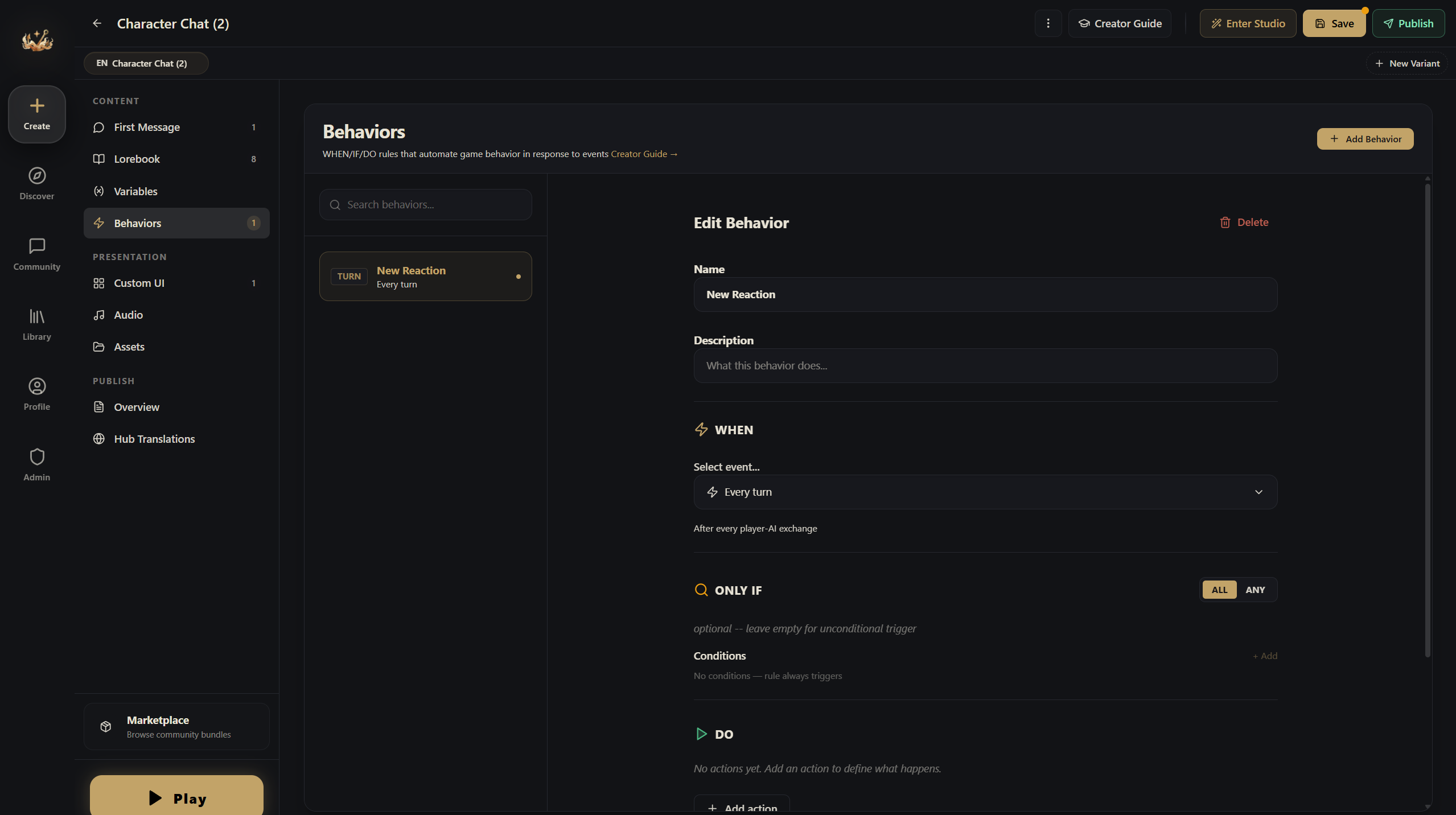
The horror world from earlier doesn't use any behaviors — it runs entirely on entries and Behavior Rules.
When to Use Automation
Good cases for automation:
- Threshold alerts: "Show a warning when health drops below 10"
- Game phase transitions: "When affinity hits 75, switch to romance mode"
- Timed events: "Advance the day/night cycle every 5 turns"
How Behaviors Work
Every behavior has three parts:
WHEN — The Trigger
What event fires this rule:
| Trigger | Fires When |
|---|---|
| Variable crossed | A variable rises above or drops below a threshold |
| State changed | Any variable changes value |
| Turn complete | Every N turns (e.g., every 5 turns) |
| Session start | The first time a player starts your world |
| Player keyword | The player mentions a specific word |
| AI keyword | The AI's reply contains a specific word |
| Every turn | After every single turn |
| Action | A custom UI button calls api.executeAction(actionId) |
| Manual | No event trigger — fires whenever its conditions are met during an evaluation pass |
IF — The Conditions (Optional)
Additional checks that must be true before the rule fires:
- Variable equals / not equals / greater than / less than a value
- Multiple conditions combined with AND or OR logic
THEN — The Actions
What happens when the rule fires:
| Action | What It Does |
|---|---|
| Modify variable | Change a variable's value (set, add, subtract, etc.) |
| Tell the AI | Inject a one-off directive to the AI |
| Send context | Inject a one-off system/user message into the next AI turn (invisible to the player) |
| Notify player | Show a toast notification |
| Play audio | Trigger a sound effect or music change |
| Toggle entry | Enable/disable a lorebook entry |
| Toggle rule | Enable/disable another rule |
Real Example: Dating Sim Route System
At affinity 25 — a subtle notification: "She seems to have noticed you..."
At affinity 50 — an achievement toast + the AI gets a new directive: "She's starting to show feelings — describe contradictory behavior, wanting to be close but pulling away."
At affinity 75 — the climax trigger: the AI gets a directive to write a confession scene, and the story phase shifts to "climax."
Rule Options
- Priority: higher-priority rules fire first (useful when several rules trigger at once)
- Cooldown: minimum turns between fires (prevents spam)
- Max fire count: the most times this rule can ever fire (1 = a one-shot event)
- Enabled/disabled: rules can be toggled by other rules (chain reactions)