
Scenarios
A scenario is like another card inside your card: it has its own lore, variables, behaviors and memory, and it only applies at certain times. A dungeon, a chapter, a side story, an underground casino that only opens at night: any of these can be a scenario.
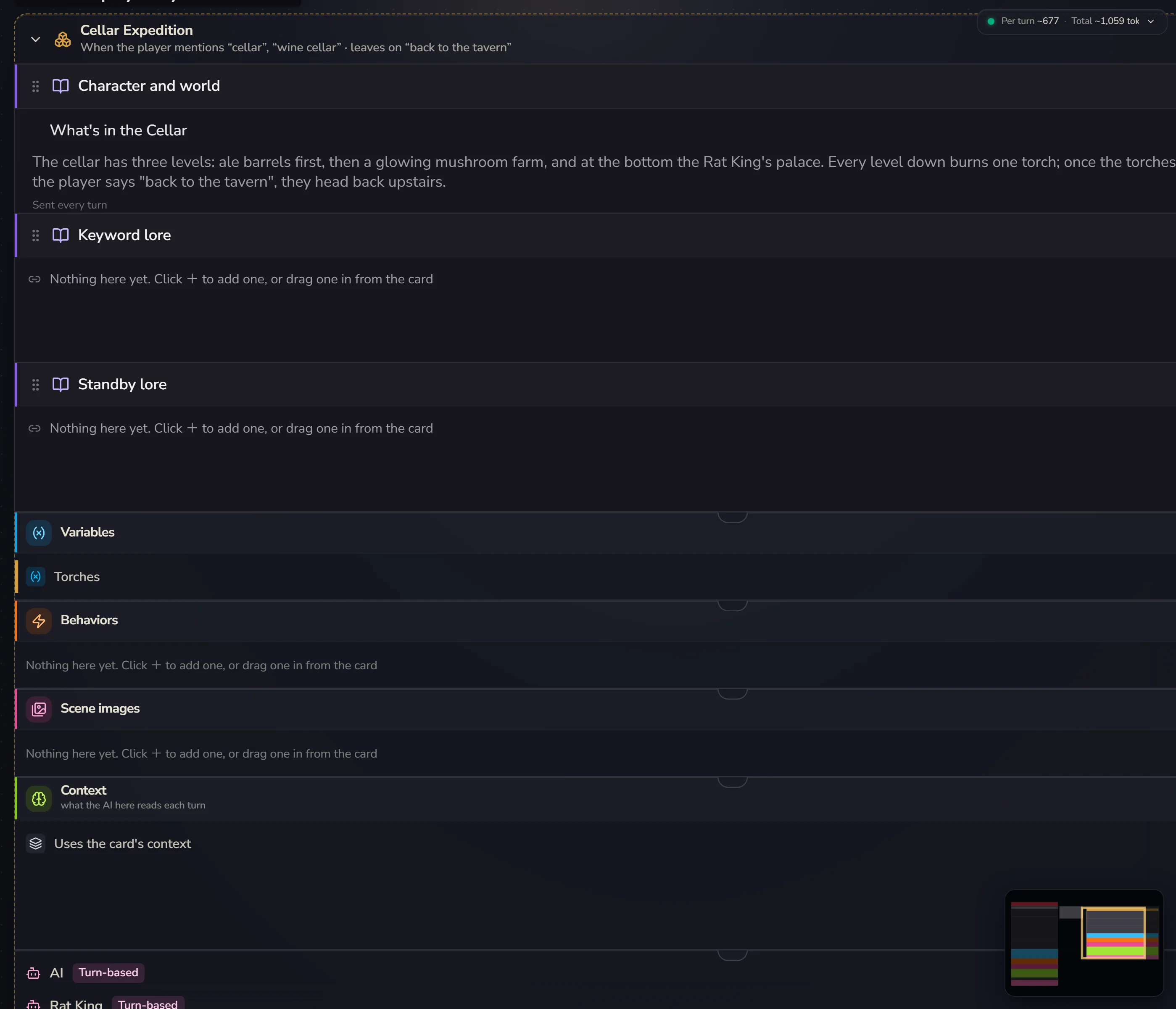
What's on the card goes everywhere
Everything inside the "This card" frame in the middle of the canvas applies in every scenario. A scenario only needs to hold what's unique to it.
Say you're making an adventure game: the main world is a small town, plus three dungeons.
This card              world · hero · movement rules · Health
Dungeon A · Rustdeep Mine     what the mine is like · corrosion rules
Dungeon B · Bonewhite Steppe  what the steppe is like · body heat rules
Dungeon C · Misted Tower      what the tower is like · climbing rules
The world, the hero and Health go on the card, so you don't copy them three times. When the player walks into the mine, the AI gets "the card's + the mine's". When they walk out, the mine's part is put away. The "Health" all four places see is the same variable, and changing it anywhere changes it everywhere.
If you're writing inside a scenario and realise something should really apply everywhere, select it and click Share with every scenario in the floating bar. It goes back onto the card.
Add a scenario
Add → A scenario. It appears next to the card. Click its title to open its settings.
There are two ways to put things in it:
- Add things with the + on the scenario's own blocks, or the icons in its header. New things go straight into this scenario
- Drag a row from the card (or from another scenario) into it. With several rows selected, you can also click Move to… in the floating bar
Deleting a scenario doesn't delete what's inside. Those things go back onto the card.
When it applies
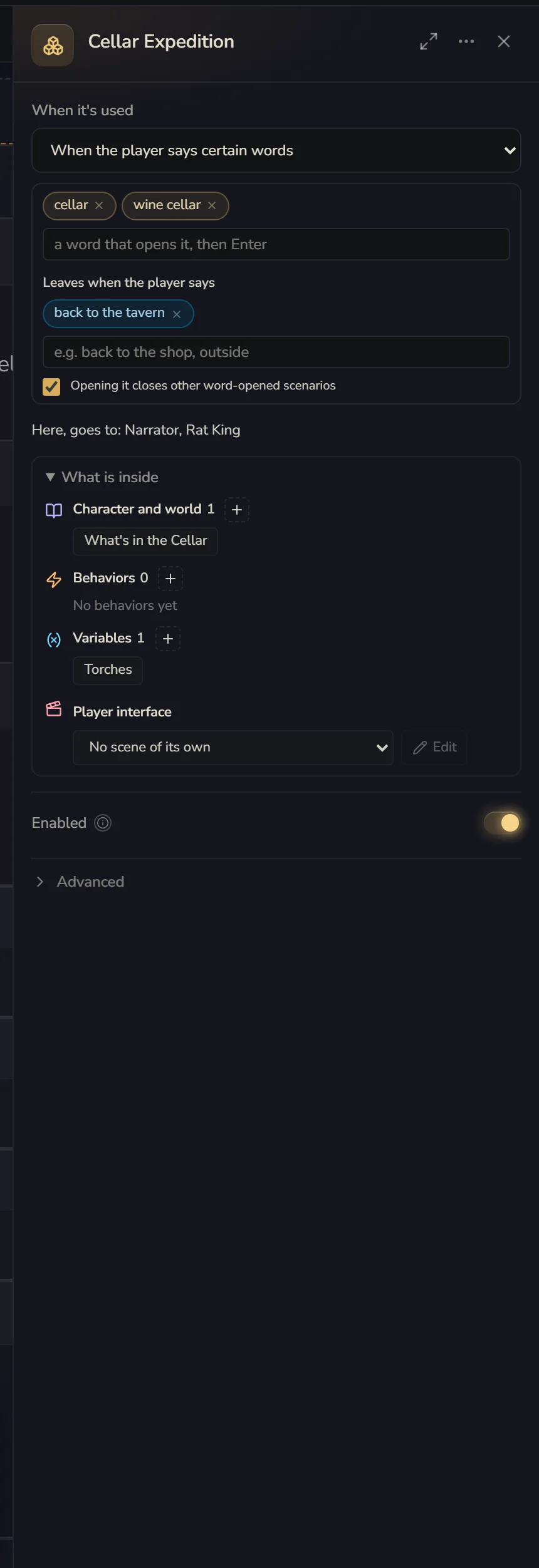
When it's used in the scenario's settings:
| Option | Good for |
|---|---|
| Always | Always open. Handy for grouping and tidying |
| When entering from a chosen opening | Only exists in games started from certain openings |
| When a variable meets a condition | Opens only when, say, location = mine |
| When the player says certain words | Say "mine" and you're in |
| Only the Enabled switch | Never opens by itself. Waits for a behavior to switch it with Enable/disable scenario |
The canvas groups scenarios next to the card by these options.
A few small details:
- A scenario opened by certain words can also have Leaves when the player says, like "back to town, go outside". Leave it empty and once you're in, it stays open. Tick Opening it closes other word-opened scenarios and you'll never be in the mine and on the steppe at the same time. This box only affects other scenarios that also have it ticked, so tick it on both the mine and the steppe.
- When entering from a chosen opening: in a game started from opening A, a scenario tied to opening B doesn't exist at all. This is how one card can hold several completely different ways to play. Dragging an opening onto a scenario is how you set this.
- When a variable meets a condition can also be set by dragging the variable onto the scenario. Once they're connected, click the line to change the condition.
Memory
By default the whole card shares one memory: wherever you go, it remembers what happened before.
A scenario can keep its own. Choose under Memory in the scenario's settings:
- Whole card (default): reads the main chat (every scenario's turns are in it)
- Its own pool: while inside, the AI only sees what was said in this scenario. Walk into the tower and the AI has never heard of the town. Walk back out and the town still remembers what happened in the tower
- Share this pool with: A and B share one memory, C and D share another. Good for several scenes with the same NPC, or one side story
Whatever you pick, the chat history stays complete. All that changes is which part the AI here can see.
Endless-dungeon style games suit "Its own pool": every time you enter a dungeon, it's clean inside (ง •̀_•́)ง
There's also When the player leaves:
- Archive and summarise: when they leave, this stretch is taken out of the AI's context and replaced with an automatic summary. The player's chat history isn't affected. You can write a line on "what to make sure the summary remembers", like "cause of death, clues found, favours owed". Coming back in starts a fresh round
- Keep it: this stretch stays in the context, like any other chat history
AIs in a scenario
Every scenario has its own Context and AI rows at the bottom, just like the card. By default a scenario has no AI of its own. The card's AI keeps talking, it just also gets this scenario's lore and variables.
If you want another AI to do the talking in a scenario, like a talking Rat King in the cellar, give that scenario an AI. That also lets you switch models and have it group-chat with the card's AI. All of this is covered on the AIs page.
Sticky notes and sharing
A scenario's settings have a Sticky note box for writing what the scenario is for, like "Health resets to zero when you leave this dungeon". It's for you and the Creation assistant. The AI running the game can't see it.
To reuse a scenario, like a fishing minigame, click Share this scenario to save it into your bundles, so other cards can install it later.
Most cards don't need scenarios
An ordinary character card doesn't need a single scenario.
Scenarios are worth it when:
- One card has several places to go: dungeons, chapters, a few side stories
- Different openings should lead to completely different content
- You want one part to use a different AI, a different model, or forget everything
If you just want to sort your lore into groups, folders are enough.